What is MojoDocs?
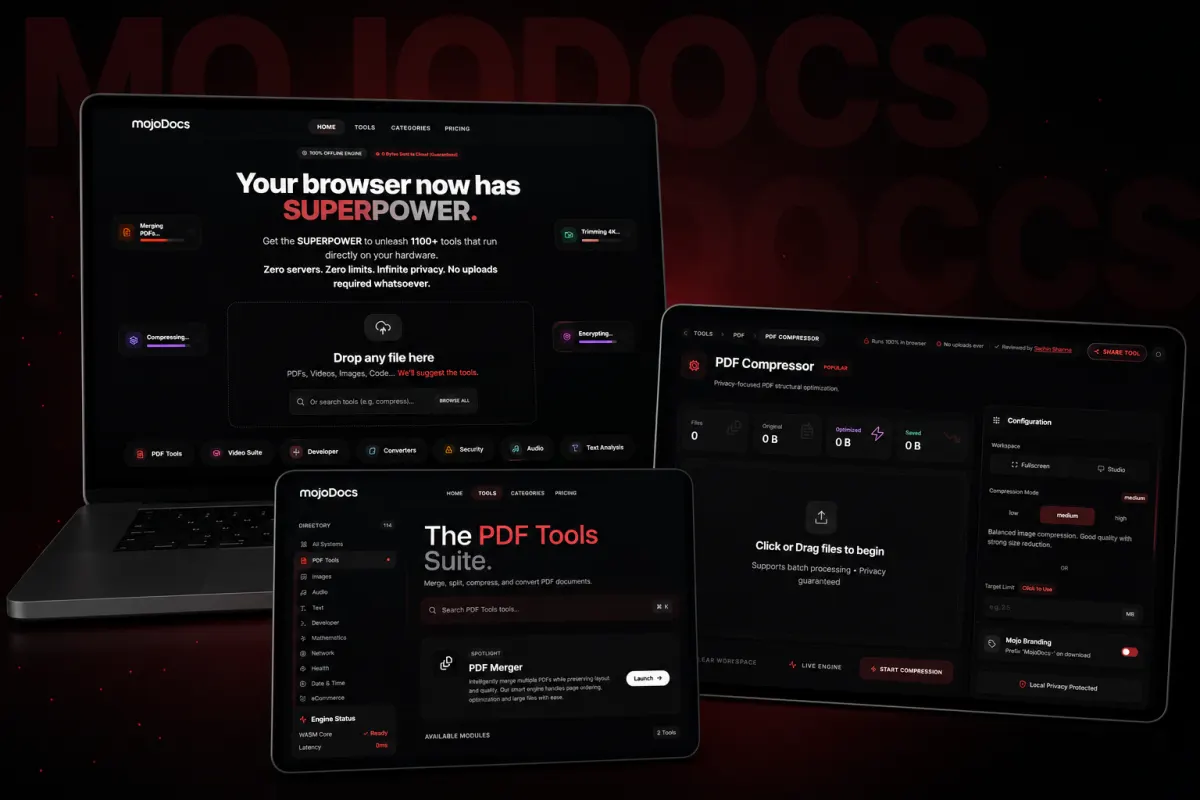
MojoDocs helps you edit, compress and convert files like PDFs, images and invoices without sending them over the internet. It is for small-business owners, clinic staff or shopkeepers who handle private documents and want to avoid sharing them with third-party servers. For example, a kirana shop owner can edit bills, or a clinic can compress patient forms, all without uploading. What makes it different is that it runs entirely in your browser using your device’s power, so your files never leave your machine. This focus on privacy, speed and simplicity sets it apart from tools that store or process files online. You can also explore how the MojoPlay music app uses similar local-first design.
How does MojoDocs keep files private?
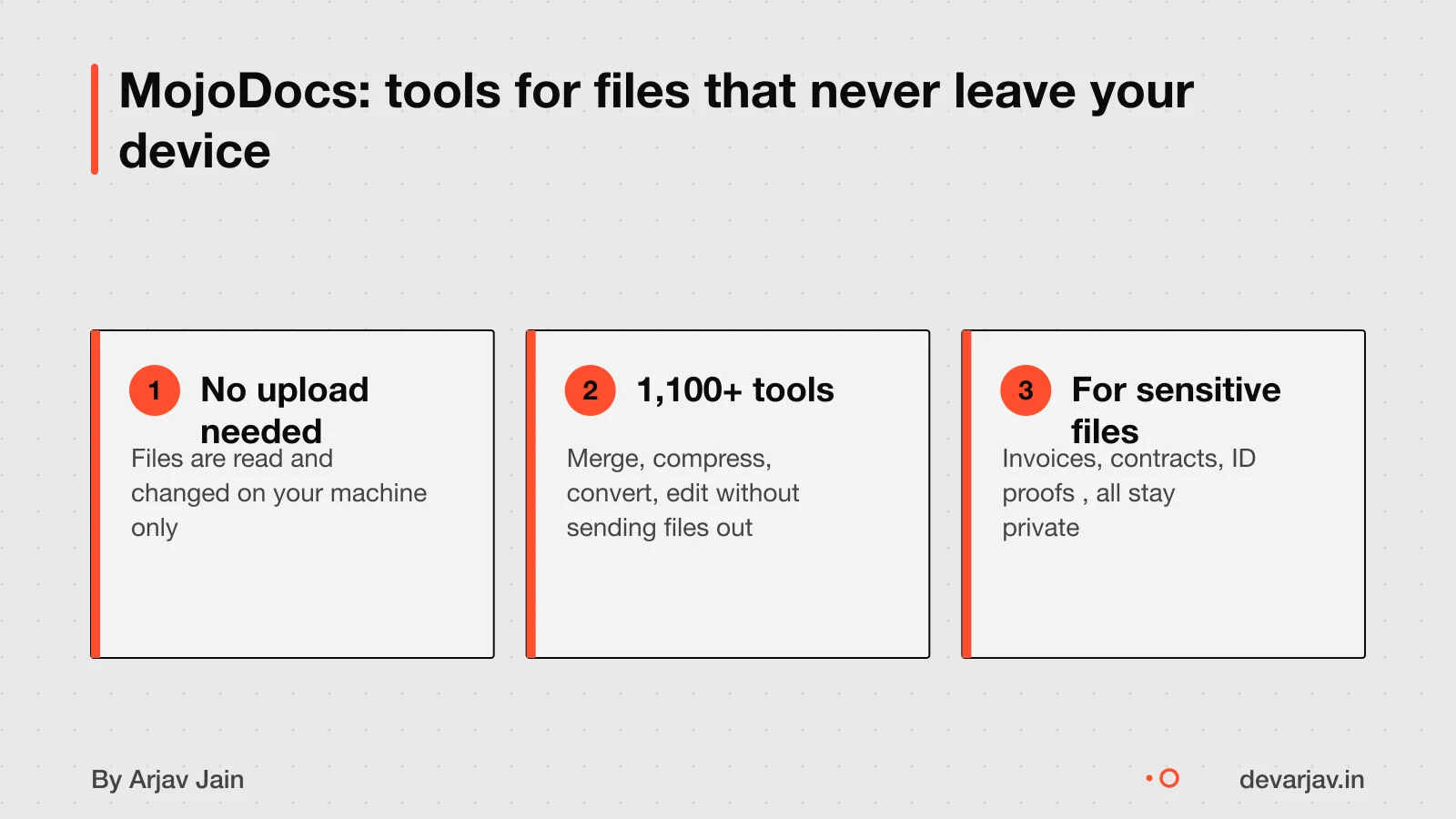
This means no one else can see them, not even the MojoDocs team. The tools run inside your browser using WebAssembly, so all work happens locally, like a toaster that heats bread without sending it anywhere.
Nothing is uploaded, and there is no backend storage. So there is no server copy to leak or be accessed. Browser sandboxing adds another layer: even if a tool tried to send data, the browser blocks it by design.
Encryption is not mentioned in the evidence, but since files do not leave your device at all. There is no need to encrypt them in transit. You do not have to trust a privacy policy, the technology itself is the guarantee.
Think of it like a toaster: you put in raw bread, it gets processed inside, and you get toast. Nothing leaves the machine. Your file is the bread, the tool is the heat, and the result stays with you.
What file tools does MojoDocs include?
MojoDocs includes tools for merging PDFs, compressing images, formatting JSON, encoding Base64, and testing regex patterns. You can do these tasks without sending files to any server. It also claims to offer tools for code and text processing, all running locally in your browser.
The total number of tools is not consistent across sources. One report says there are 100+ tools focused on PDFs and documents. Another source, the MojoDocs website itself, claims 1,100+ tools available. This gap may reflect a difference between current release and future vision.
For example, you can use the image compressor tool or the JSON formatter to process files without uploads. These are the kind of utilities included in the suite.
Can it handle large or many files?
MojoDocs uses file streaming, a technique that processes large files by dividing them into smaller pieces and handling one at a time. File streaming is useful when processing large files is impractical due to size or memory limits. This is like reading a book page by page instead of trying to hold the whole book in your hands at once. For example, converting 100 scanned invoices can be done in sequence without slowing down your device. Performance depends on your device’s RAM and processing power.
Is MojoDocs free? Are there limits?
Yes, MojoDocs is free to use and does not require you to sign up or log in. You can start using all tools right away, with no cost or account needed. MojoDocs is free to use with no limits on file processing. You can process large batches or big files without hitting a cap. As of now, the site remains fully free, and there is no information about future pricing changes. Since it runs locally in your browser, the team cannot track or restrict your usage.
Want to build a local file tool for your business? Send one line on WhatsApp. I'll reply with what it takes and what to watch for.
Message me on WhatsAppHow can I check if files stay on my device?
You can test if your files stay on your device using your browser’s developer tools or by going offline. This helps confirm that no data is sent to remote servers.
Open your browser’s Developer Tools, go to the Network tab, and start the file operation. If you see a request with method POST or PUT and size close to your file, it was uploaded. For example, a 3 MB PDF should show a matching 3 MB request if sent.
A stricter test is to turn on airplane mode or disable your internet, then try the tool. If it still works, your file is processed locally. If it fails, the tool likely sends your file online.
Look for no network activity during processing. Tools like MojoDocs that use WebAssembly run entirely in your browser and need no upload. You control the process, and your file never leaves your machine.
When MojoDocs is not the right choice
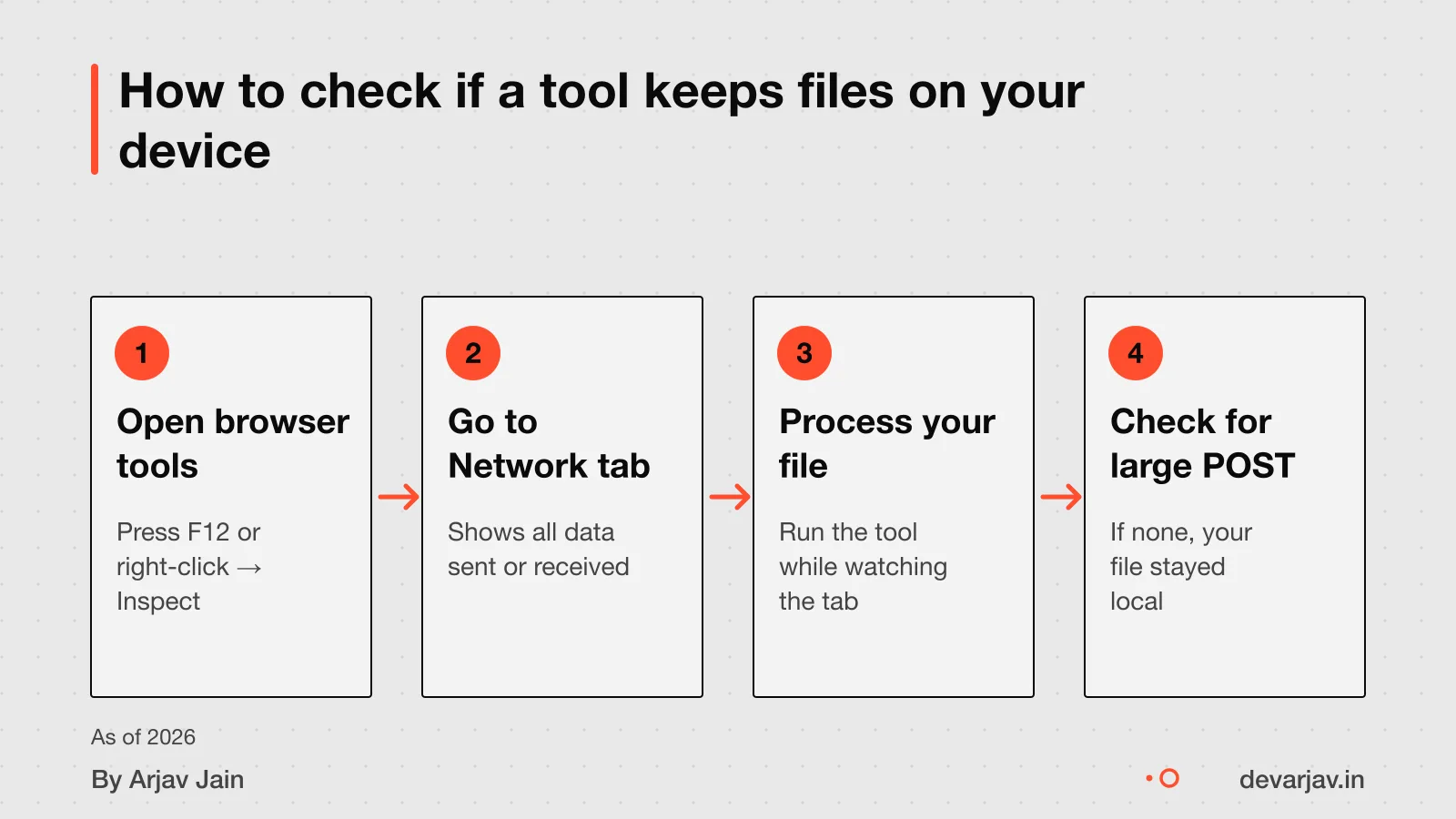
- You should not use MojoDocs if your team needs real-time collaboration on files. Cloud tools are better when multiple users must access the same document set. Shared comments or live edits are not supported.
- Avoid MojoDocs if you rely on version history. It does not keep past versions of your files. If tracking changes or restoring older drafts is important, a cloud service with revision control may suit you better.
- Do not choose MojoDocs if your device has low memory. WebAssembly tools can increase memory usage during processing. Large files or many at once may slow down older laptops or phones.
- MojoDocs is not for centralized storage needs. If you must back up files to a shared drive or access them from different devices, cloud upload is still the right answer.
Next step: message me on WhatsApp with what you want to build. No forms, no sales team.
Message me on WhatsApp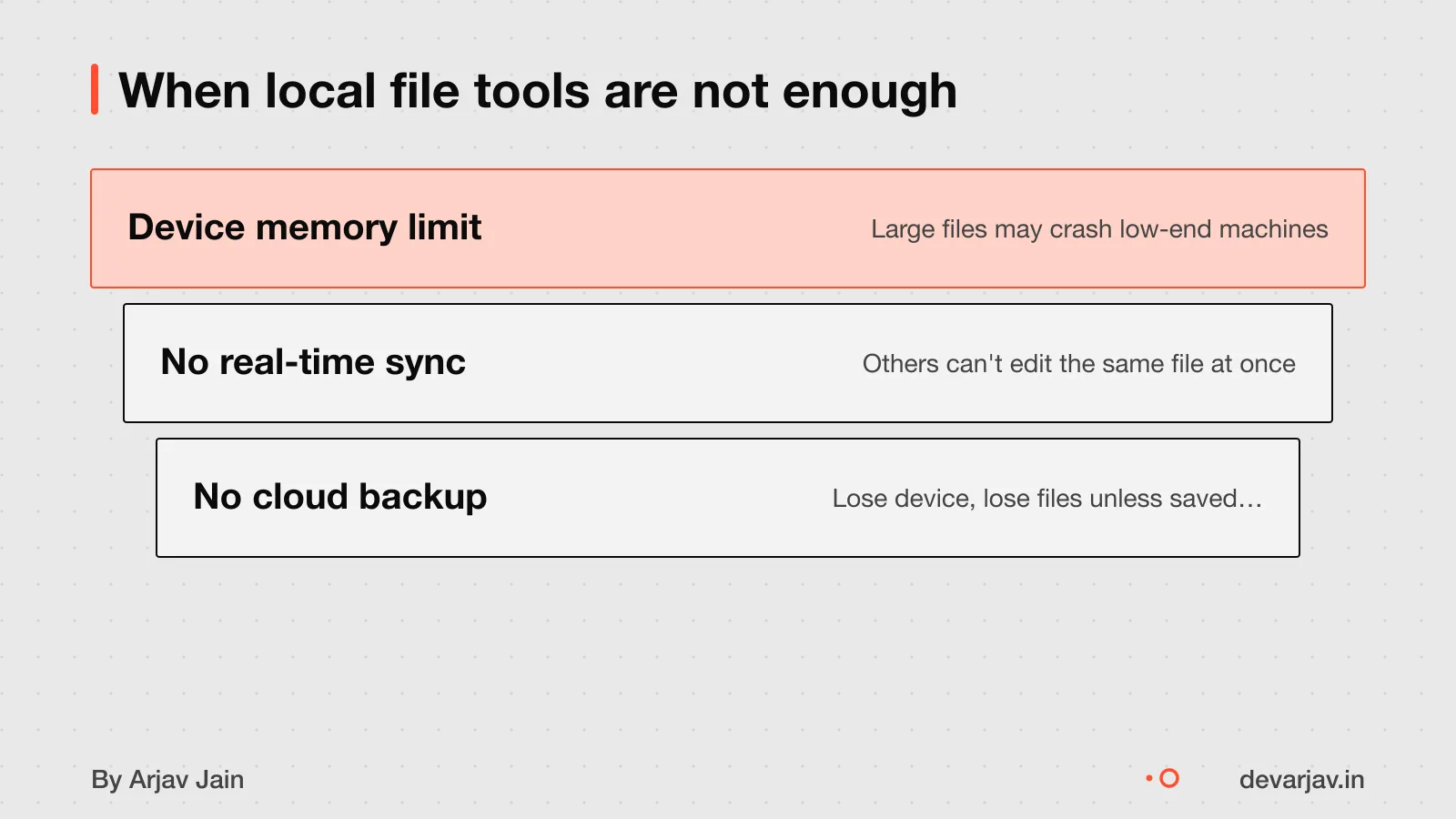
Next step
Next step: message me on WhatsApp with what you want to build. No forms, no sales team.
Can MojoDocs handle large files without slowing down your device?
MojoDocs runs all tools in your browser using WebAssembly, so file size affects speed and memory use on your device. Large files need more RAM and processing power, which may slow older phones or computers. MojoDocs processes files locally in the browser, but it does not stream them in chunks like cloud tools. If your device struggles, close other apps to free memory. Android, for example, keeps background apps in memory and kills them only when RAM is low. Tools like kswapd compress data in zRAM to help, but performance still depends on your hardware.
How does local processing affect reliability on mobile?
Since MojoDocs works entirely in your browser, it follows your device’s memory rules. On Android, background apps are the first to be killed when memory is low. If your phone closes the browser tab unexpectedly, you may lose unsaved work. The system uses oom_adj_score to decide which apps to kill, and browser tabs with heavy tasks may rank low. Even the home app can be killed, which removes your wallpaper. This means MojoDocs is less reliable on low-memory devices during long tasks. To reduce risk, process one file at a time and avoid switching apps. Save results early, such as by downloading the output or copying it elsewhere.
What should you watch for when comparing to cloud tools?
Cloud tools like Workato stream large files in chunks, which results in fewer API calls and faster processing. They use server power, so your device does not slow down. But they require sending files over the internet, which risks privacy. MojoDocs processes files locally, so they do not leave your device. Whether MojoDocs works offline or supports collaboration is not described in the evidence. When choosing, ask: Do you need speed on weak hardware, or strict privacy? If you handle sensitive files like contracts or ID proofs, local processing adds a real layer of safety. But if you work with very large files or shared teams, check if MojoDocs supports resume, batch jobs or exports that fit your workflow.
Related reading: case study on why MojoDocs runs in browser.
The thinking
- 01
Problem
Small businesses and individuals handling sensitive files like contracts, IDs or medical records need a way to process documents without uploading them to a server.
- 02
Decision
Build MojoDocs, a browser-based toolkit using WebAssembly to offer 1,100+ file tools that run locally with no server contact.
- 03
Why it holds
Local processing keeps files private and avoids backend costs. WebAssembly gives near-native speed in the browser. The focus was on making powerful tools available without signup or tracking.
What it includes
- PDF merge, split and compress
- Image resize and format conversion
- Regex tester and JSON formatter
- Base64 encode and decode
- Hash generator (SHA-256, MD5)
Questions people ask
Does MojoDocs work without internet?
As of now, MojoDocs needs an internet connection each time you use it. It does not work offline after the first load. This is because the tools are loaded from the web each time you start a task. Check your network before use.
How is WebAssembly different from JavaScript?
WebAssembly brings near-native performance to the web. JavaScript handles the user interface and interactions. They work together: WebAssembly for heavy tasks like file compression, and JavaScript for other tasks.
Can WebAssembly access my files directly?
No, WebAssembly cannot access your files without your permission. It must go through a file picker each time, which is a security feature built into browsers. This means no tool can read or write files unless you choose them yourself.
What happens if my phone runs out of memory?
If your phone runs low on memory, the browser may slow down or crash. On Android, background apps are the first to be killed when memory is low. Avoid running many apps at once when using large files in MojoDocs.
Can I add my own tools to MojoDocs?
No, there is no way to add or request new tools in MojoDocs right now. The vision is to grow to 1000+ tools over time. You cannot upload custom code or scripts at this stage.
Who owns the MojoDocs code?
The ownership of the MojoDocs code is not specified in available sources. MojoDocs is designed for freelancers, small businesses, and non-technical users.
Is MojoDocs safe for legal or medical files?
Yes, local processing is better for confidential or client-specific files. This makes it better than cloud tools for confidential contracts, patient records or files under NDA. Check this for your case with a lawyer or doctor.