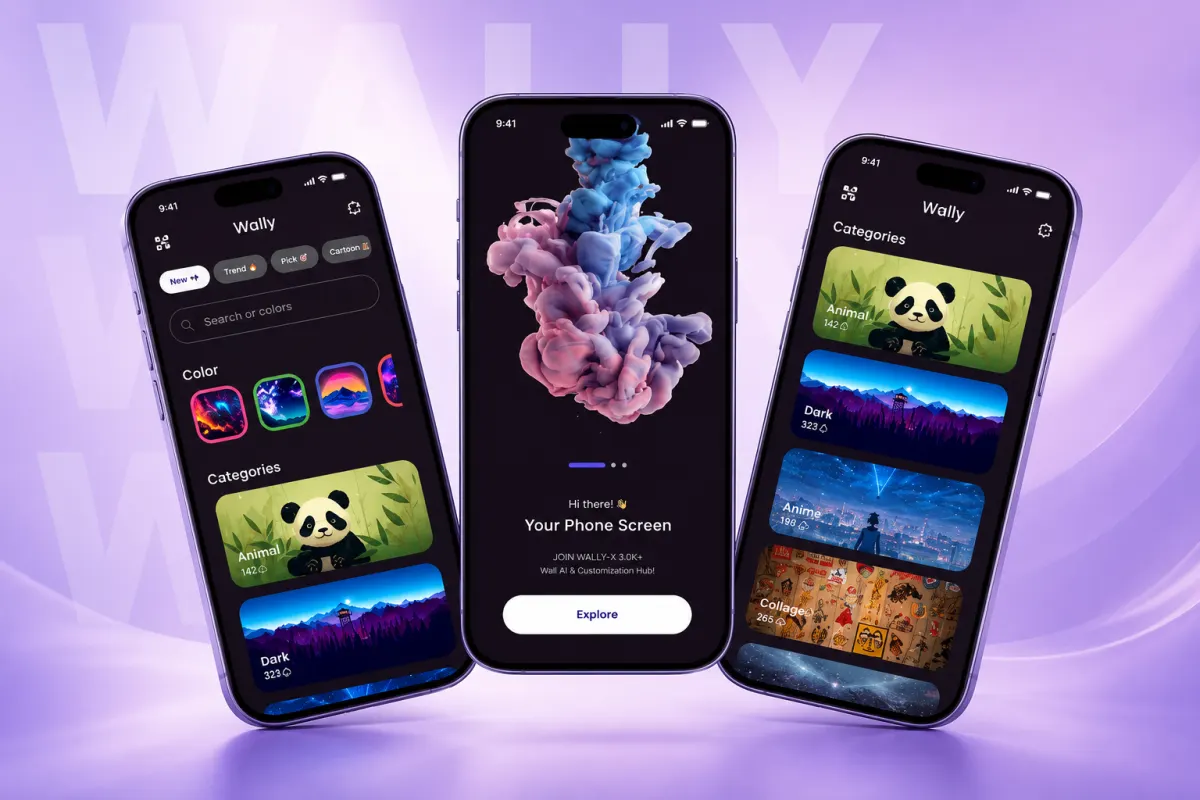
What is Wally and what problem does it solve?
Wally is an open source Android app that lets you browse and set wallpapers from Wallhaven. It gets images by scraping Wallhaven’s website, so you do not need to log in. The app was built to make Wallhaven’s desktop site easier to use on phones, with a focus on being more mobile-friendly. It was also created to be a simple utility app. For example, you can scroll through high-quality images and set them as your lock screen or home screen in one tap. This solves the problem of slow, cluttered browsing on mobile when you just want a nice wallpaper fast.
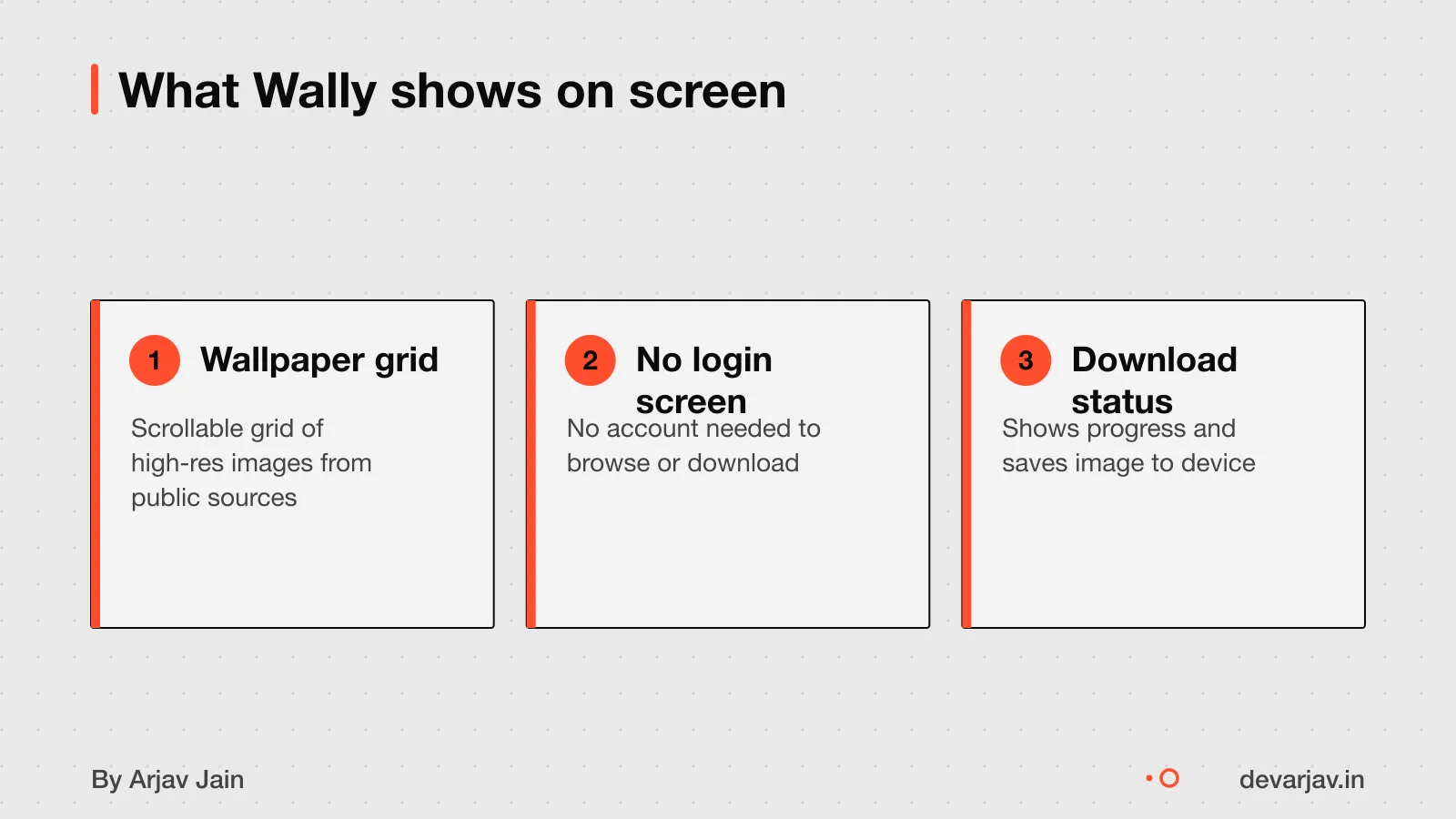
Can you copy Wally for your business?
Wally is open source and has a public repository on GitHub. You can view, fork, and modify its code legally, but you must check the license before using it for business. The repository has 957 stars. It is split into modules: Models, Data Provider, and the main UI module, which makes parts reusable.
However, open source does not mean free for commercial use without conditions. You must review the license type in the repository to know what you can and cannot do. Some licenses require you to credit the author, keep the same license, or share source changes. If you plan to sell or scale the app, a legal or technical expert should review the license terms.
For your own app, treat Wally as a learning example, not a ready-made solution. Even with the same code, your content, users, and server needs will differ.
Owning your app's code and architecture explains what rights you should keep when building custom software.
How much did Wally cost to build and what are ongoing costs?
It is not known if there are ongoing costs for hosting, updates or maintenance. Since the project is open source and built with Android Studio 0.8.x. You may assume it used free tools and no paid backend, which can lower costs.
Factors that affect cost include the number of screens, the complexity of caching logic, and how often content updates. Hidden costs to plan for include device storage management, image licensing if using third-party content, and testing on low-end phones common in India.
You should monitor early user feedback on download size and performance, especially on 2G or 3G networks. If caching uses too much storage, users may uninstall the app. It is not known how Wally handles full storage or offline access.
For a real estimate on your idea, consider the number of features, update frequency, and whether you need a server. General costs for app development in India vary by scope and team size What does it cost to build an app in India?.
Want a number for your idea? Send one line on WhatsApp. I reply with what drives the cost and what to cut.
Message me on WhatsAppHow long did it take to build Wally?
The Wally iOS app had been around for 9 years as of 8 August 2021. This means the first version launched around 2012. The time taken to build the Android version is not documented. Delays during development are also not recorded in the evidence.
If you are planning your own app, timelines depend on features, team size and testing needs. For a media-heavy app with local caching, expect several months of work. A simpler app may take 8 to 12 weeks.
How long does it take to build an IoT app?
Was Flutter used for Wally?
It is not confirmed what technology was used to build it.
You can compare this with other options and see how Flutter stacks up against different frameworks for Indian apps Tech stack choices for Indian apps.
Does Flutter affect app size and download rates in India?
A Flutter app’s download size can be as low as 5.4 MB compressed for a basic demo on iOS. This size can affect downloads, as users on slow networks or with low storage may skip larger apps. You can reduce size by using app bundles and trimming unused code.
On Android, download size depends on device type and screen density. For a real estimate, build an Android App Bundle (.aab) and check it in the Google Play Console. This gives accurate sizes for different phones.
This cuts down initial download size.
You should check your app’s size early and often in development. Even small apps can grow fast with added features or libraries. Always test on low-end devices common in tier-2 and tier-3 towns.
How does Wally work on slow networks like 2G or 3G?
Wally is built to work on slow networks like 2G, but how it adapts is not fully documented. As a best practice, apps on 2G must assume high latency and low bandwidth. The minimum latency on a regular 2G network is 300 ms. This delay affects how fast images load and respond.
Apps can simulate 2G or 3G speeds using developer tools to test performance under poor conditions. This helps tune loading logic before release. For media apps, this means showing placeholders, loading low-res images first, and deferring heavy downloads.
Wally likely saves data by caching images once downloaded. If it uses adaptive loading, it may reduce image quality based on network speed. But the evidence does not confirm this behaviour. You should assume Wally works on 2G, but how well depends on its internal logic.
To build an app that works reliably on slow networks, use offline-first design. Load core features without internet. Fetch content in the background when possible. Prioritise small assets and compress data. These steps help users in tier-2 and tier-3 towns where networks are unstable.
Mobile app development in Flutter, built offline-first when it matters
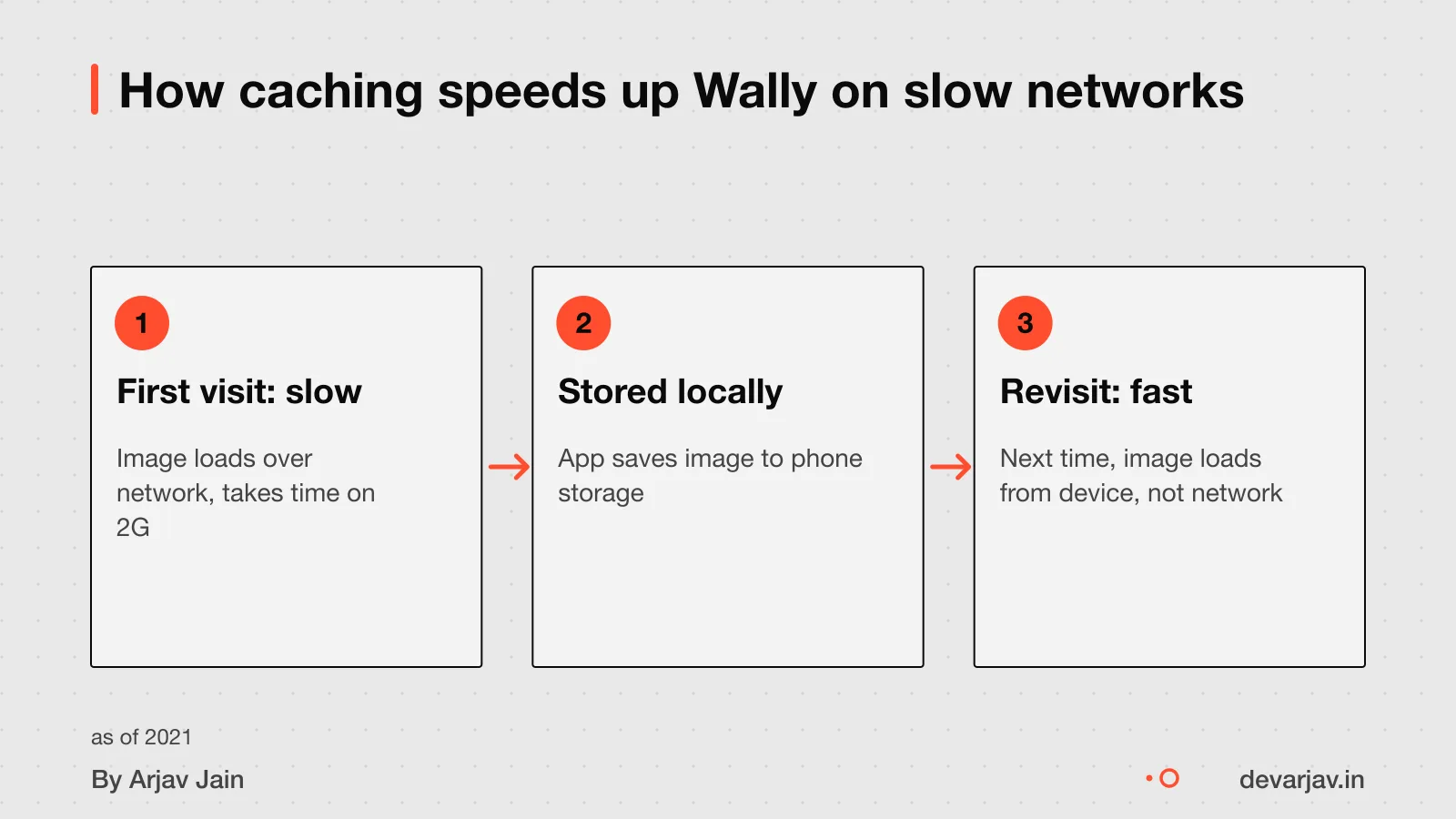
How does Wally use local caching and what happens when storage is full?
Wally stores images on your device using local caching, so you can view wallpapers quickly and possibly offline. It downloads images as you scroll, saving them temporarily to speed up future access. It is not known where Wally stores images: on device or in cloud [unknowns].
When storage is full, the app may stop saving new images or automatically remove older ones to make space. When local mailbox storage is full, older mail may be removed and replaced with newer messages. You can also manually clear the cache at any time, which removes all saved images.
If caching fails during the install event, the service worker installation fails.
For another app that uses local data smartly, see Loopin: an offline-first habit tracker with Google Drive sync.
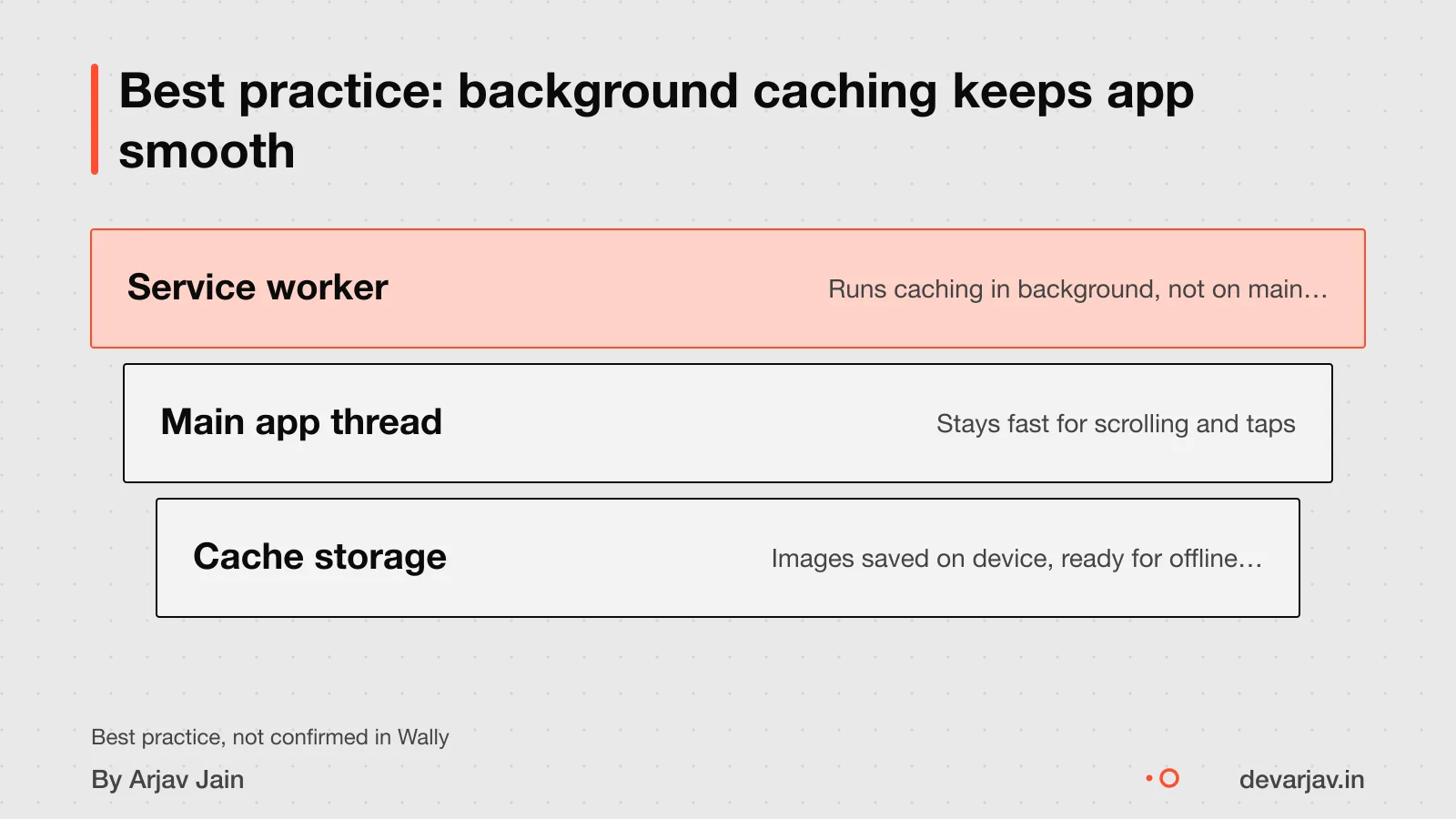
What could go wrong if I copy Wally’s caching method?
The browser runs critical tasks on the main thread. If caching happens there, the app freezes until it finishes. Use a service worker thread instead to avoid this.
This means users may not get the offline or fast-load benefits you planned. A failed install leaves them with a slower, network-dependent app.
Caches have limited space, and the browser may remove your app’s stored data when full. This eviction happens silently. You cannot rely on cached content staying there forever. Design your app to re-download when needed.
Yes, users can clear the cache at any time. They might do this to free up space or reset the app. Your app must handle this cleanly, not crash or lose critical data. Always check if content is available before loading it.
How to integrate Sign in with Apple in a Flutter or Next.js app shows how to add secure login flows without blocking performance.
Not sure if your project has this risk? Tell me the plan in two lines and I will say yes or no.
Message me on WhatsAppWhat Indian laws apply to apps with local caching?
You must publish a privacy policy if your app stores user data locally. An intermediary must publish its privacy policy, rules and regulations, and user agreement in English or any Eighth Schedule language.
You must keep removed or disabled user data for 180 days for possible investigations. After that, delete it securely.
You must remind users every three months about the rules of using your app. This is part of your duty as an intermediary.
Your app must also let users report misuse or request data deletion. These rules come from the IT Act and Intermediary Guidelines. For your case, talk to a lawyer. Laws change and your app’s use may need more steps.
DPDP Act consent flows for apps explains how to design legal consent in your app.
Can open source Flutter apps like Wally be reused?
Yes, you can reuse the code from open source Flutter apps like Wally, but only if you follow the license terms. This modular design helps if you want to change one part without breaking the rest.
You can switch developers, as the public codebase allows new developers to pick up and continue work. But they must review the code first to understand how it works. Without a review, hidden issues may cause delays.
The app can run on Android, iOS, and web, since Flutter supports all three. But Wally’s current code may not be fully set up for iOS or web yet. You would need a developer to check and add support.
Before reusing any part, get a code review to spot risks. Also, confirm the license allows your use.
Hire a Flutter developer for your first app if you want help modifying or porting the app.
How to test if caching improves performance?
To know if local caching helps your app, test on real devices in real conditions. Measure load time, data used, and cache size before and after adding caching.
Use a stopwatch to time how long the first image takes to appear on a slow network. Repeat with caching turned on. Compare the two times. This shows if caching speeds up display [unknowns].
Check data usage in your phone’s settings. Go to Settings > Network & Internet > Data Usage. Note how much data the app uses over one day of normal scrolling. Then test again with caching. A drop means caching reduced data load.
To check cache size, go to Settings > Apps > [Your App] > Storage. See how much space is used. Test this after scrolling through 50 images. Clear storage to reset, then repeat without caching. The difference shows how much space caching uses.
These steps help you decide if faster loads and lower data use are worth the storage cost. Do not assume caching always helps. Test with your own app’s content and users.
When should I not build an app like Wally?
When should I not build an app like Wally?
Building an app like Wally is overkill if your business only needs to show a few images. For example, a local salon that shares 10 hairstyle photos does not need smart caching or infinite scroll. A simple gallery page on a website works better [unknowns].
Offline access is not needed when users are always on fast networks. If your audience uses Wi-Fi or 4G reliably, such as in an office or city clinic, then local caching adds complexity without benefit. A web page or social media post may be enough [unknowns].
You should use a simpler tool if you lack coding skills or want to launch fast. No-code website builders or Instagram can display images without any app development. These are cheaper and easier to update [unknowns].
Next step: message me on WhatsApp with what you want to build. No forms, no sales team.
Message me on WhatsAppThe thinking
- 01
Problem
Media apps like wallpaper browsers often feel slow on 2G and 3G networks because they load images fresh each time.
- 02
Decision
Wally uses local caching to store images on the device, so the app responds quickly even on patchy networks.
- 03
Why it holds
Since Wally scrapes images from Wallhaven, loading speed depends on caching. Local storage avoids repeated downloads and gives a smooth scroll experience.
What it includes
- Infinite scroll wallpaper grid
- Local image caching for fast load
- Wallhaven scraper for fresh content
Questions people ask
What is Wally used for?
Wally is an open source Android app that lets you browse and set wallpapers from Wallhaven. It gets images by scraping Wallhaven’s website.
Is Wally free to use?
Yes, Wally is free to use and open source, with no login or payment needed. It was built as a simple utility app focused on security and ease of use.
Does Wally need internet to work?
Wally needs internet at first to load and cache images. However, if the cache limit is reached, older images may be removed automatically.
Can Wally be used in small towns with poor networks?
Wally can work in areas with poor networks like 2G, which has a minimum latency of 300 ms. Apps can use network throttling tools to test performance under such conditions.
Do I need to pay to copy Wally’s design?
No, you do not need to pay to study or reuse Wally’s code since it is open source. But for business use, check the license terms to avoid legal issues.
How do I know if my app caches images safely?
To cache images safely, ensure your app uses background threads and sets clear cache limits. If caching fails during setup, the app may not install correctly.
What should I include in my privacy policy for caching?
Your privacy policy must disclose how long you keep data. As an Indian intermediary, publish this in English or a listed regional language.
Can users delete cached images in Wally?
Yes, users can clear Wally’s cache anytime using their device settings. This removes all stored images and frees up space.
Is Flutter the best choice for a media app in India?
Flutter works well for media apps, but app size matters. A basic Flutter app starts at about 5.4 MB download size on iOS, so test early to avoid high data use for users.