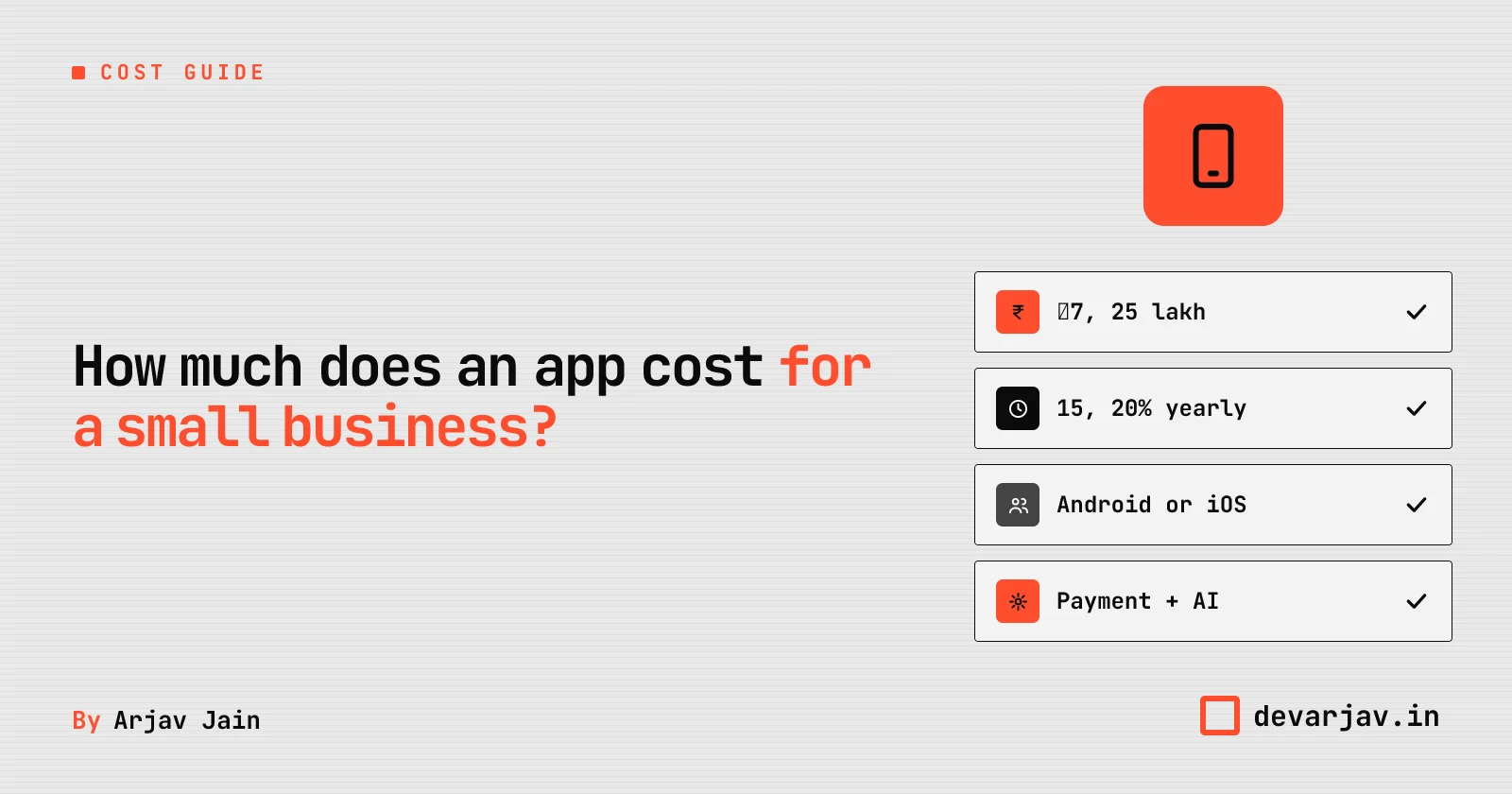
What is a mobile app for a small business?
A mobile app helps your shop or clinic take bookings, track orders, or accept payments, all in one place, even when the phone is offline. For example, a clinic app can let patients book slots, see doctor availability, and pay via UPI. A system that moves money instantly from their bank to yours using just a phone number or virtual address. Unlike a website, an app works faster and can send reminders. Compared to WhatsApp, it is more organised: you do not have to scroll through messages to find a booking. It also gives you your own space, not someone else’s chat window. This means you control how it looks and what it does.
Do you really need a custom app, or will WhatsApp or UPI work?
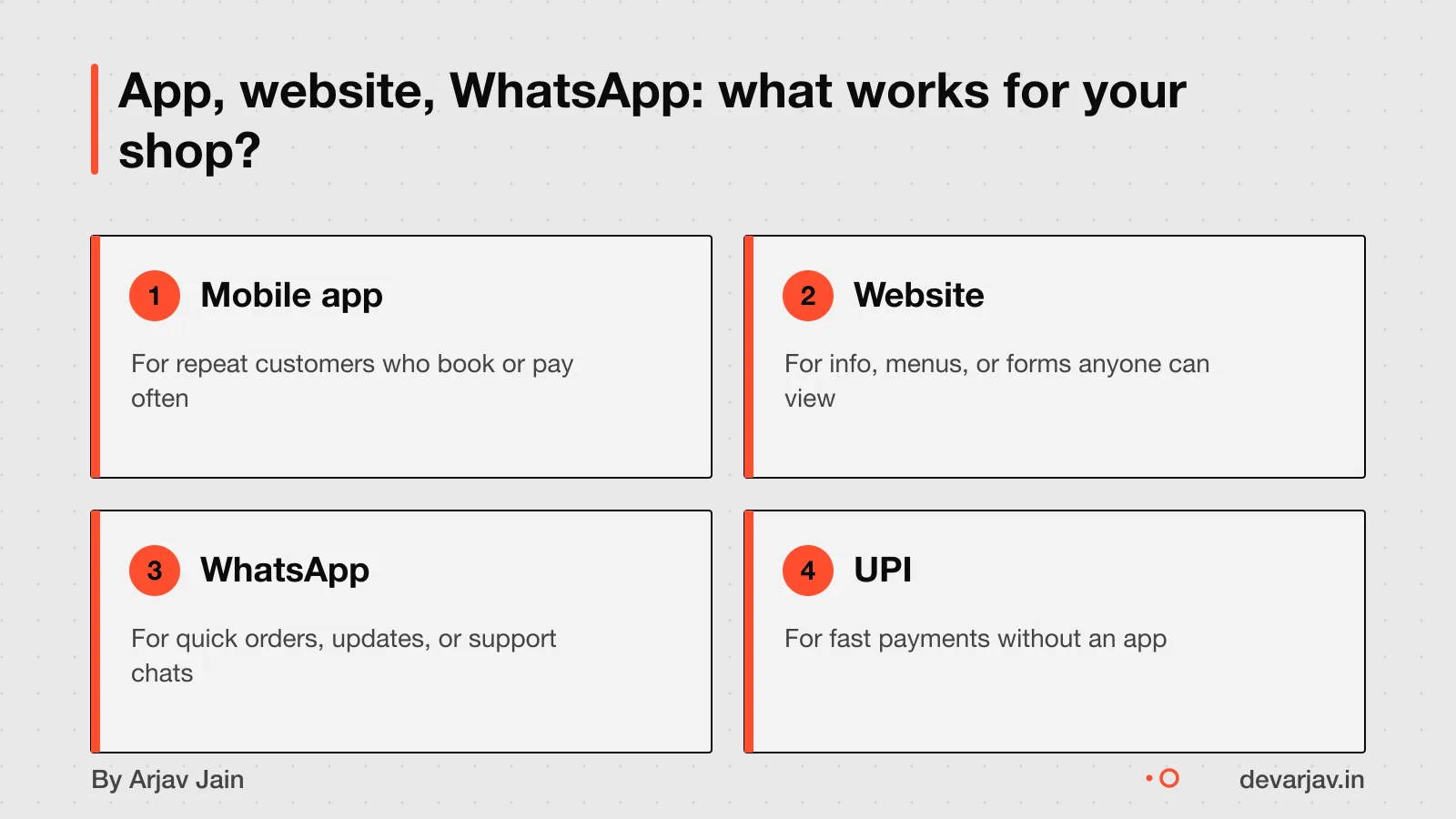
Many small businesses do not need a custom app. You can often use WhatsApp, Google Forms, UPI, or ready-made apps instead. These tools are cheaper and faster to set up. For example, a clinic can use WhatsApp to confirm appointments. A shop can use Google Forms to track orders. A tuition centre can collect fees through UPI.
Ready-made apps are cheaper than building one from scratch. Most of these apps can also be changed to fit your business needs. For example, a food cart can use a prebuilt order form app and just change the menu and logo.
If your work runs on messages, forms, or quick payments, start with these tools. They cost less than ₹1 lakh and can be live in days. A custom app makes sense only when you need features these tools cannot offer, like offline access, custom workflows, or deep integrations.
Ask yourself: does my business need something only a custom app can do? Or can I start small and grow later?
What drives the cost of your app?
A ₹3 to 5 lakh app is a basic version with just 3 to 5 key features on one platform. It has no complex backend, uses standard design, and skips advanced tools like AI.
Building for both Android and iOS using Flutter adds about 30% to the cost compared to a single platform. This is still cheaper than building two separate native apps. You get both apps from one codebase, which saves time and effort.
Custom design work increases cost by 20 to 40%. This includes branded screens, custom animations, and unique user flows. A standard template design costs less but looks like other apps.
AI features like chatbots, recommendation engines, or automated workflows add complexity and cloud costs. They need more development time and ongoing server charges. Simple apps without AI are cheaper and faster to build.
For example, a clinic booking app with patient sign-up, appointment scheduling, and SMS reminders on Android only could start at ₹3 lakh. Add iOS support, and the cost rises by 30%. Add a custom logo, colours, and animations, and it goes up another 20 to 40%. Include an AI chatbot for common questions, and both build and running costs grow.
Want a number for your idea? Send one line on WhatsApp. I reply with what drives the cost and what to cut.
Message me on WhatsApp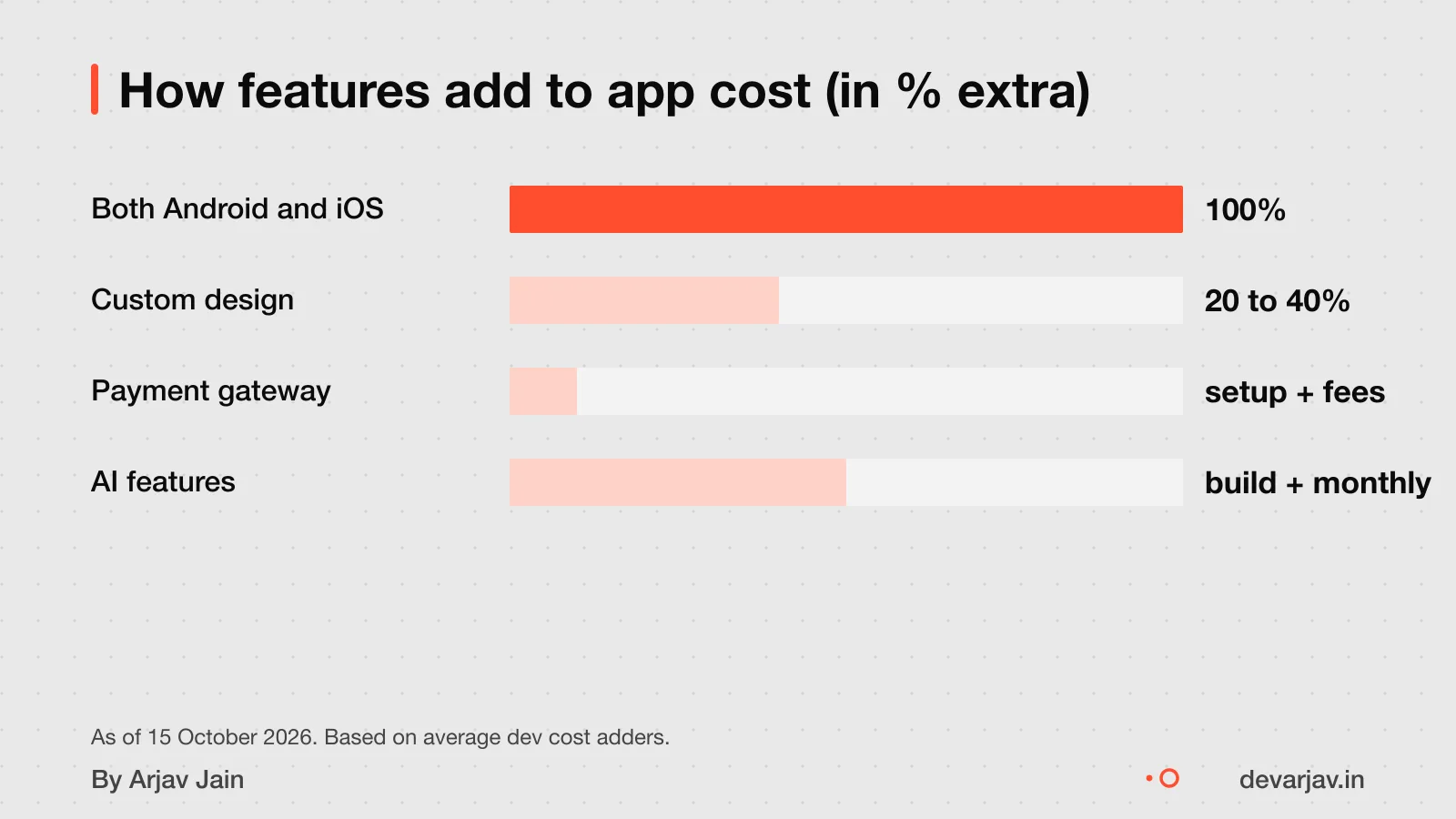
Worked example: cost of a clinic booking app
As an estimate, a 5-screen Android app for a clinic booking system would cost ₹5.2 lakh. This includes a base cost of ₹4 lakh for a tightly scoped app with core features like appointment booking. Using Flutter for cross-platform development gives you both platforms for about 30% extra compared to building two separate native apps. This estimate assumes no AI features, basic design without custom animations, and no complex backend. It also assumes the scope stays fixed and no extra screens or changes are added mid-build. The design uses standard templates, so no extra cost is added for branded design systems. As an estimate, assuming a simple clinic app with no advanced features, the total is ₹5.2 lakh.
How long does it take to build an app?
A simple app takes 4 to 6 weeks to build. This is for a basic app with 3 to 5 core features, like a clinic booking system with patient login, appointment slots and UPI payments. Medium complexity apps take 2 to 3 months. These include custom dashboards, user roles or live updates. Enterprise apps with multiple teams, integrations and admin panels take 4 to 6 months.
Delays happen when the scope changes mid-way, approvals are slow, or key inputs like content or login details are late. It only states that Flutter cross-platform development costs ~30% extra compared to a single platform. However, delays still occur if the design is not finalised early or if third-party services like payment gateways take time to integrate.
Android vs iOS vs both: which should you choose?
Start with one platform to save money. Building for Android or iOS alone costs less than doing both at once. If you plan to launch on both, use a cross-platform tool like Flutter or React Native. These let you reuse about 95% of the code across Android and iOS. As a result, you save 40 to 60% in development costs compared to building two separate native apps.
For example, a clinic app built in Flutter for Android first can later expand to iOS with almost no extra coding. This helps you test your idea at lower cost. Most small businesses in India start with Android since more people use it here. Once you have users and revenue, you can add iOS.
If you choose Flutter, nearly all screen layouts, buttons, and logic will work on both platforms. You only write separate code for rare device-specific features, like advanced camera controls. This is why Flutter is a common choice for small budgets.
How do AI features affect cost?
Adding AI features increases your app’s build and running costs. This is because AI needs more development work and ongoing cloud fees for processing. For example, using a model like GPT-6 for smart replies or automated tasks raises complexity.
As an estimate, AI input costs ₹8.50 per million tokens, based on a rate of $0.10 per million input tokens. This cost adds up if your app handles many user requests. You also pay for output tokens, storage, and higher server needs.
For a clinic app that uses AI to auto-respond to patient queries, you might process 500,000 tokens per month. As an estimate, this would cost ₹4.25 per month in input fees alone. Over a year, it adds ₹51 to your cloud bill, small, but it grows with use.
AI also slows down development. Your team must test prompts, handle bad outputs, and make sure the AI works offline or with poor internet. These steps take more time and skill, raising the upfront cost.
If you do not need smart features, skip AI. For most small businesses, simple rules (like auto-reminders) work better and cost less.
Extra fees: Google, Apple, payment gateways
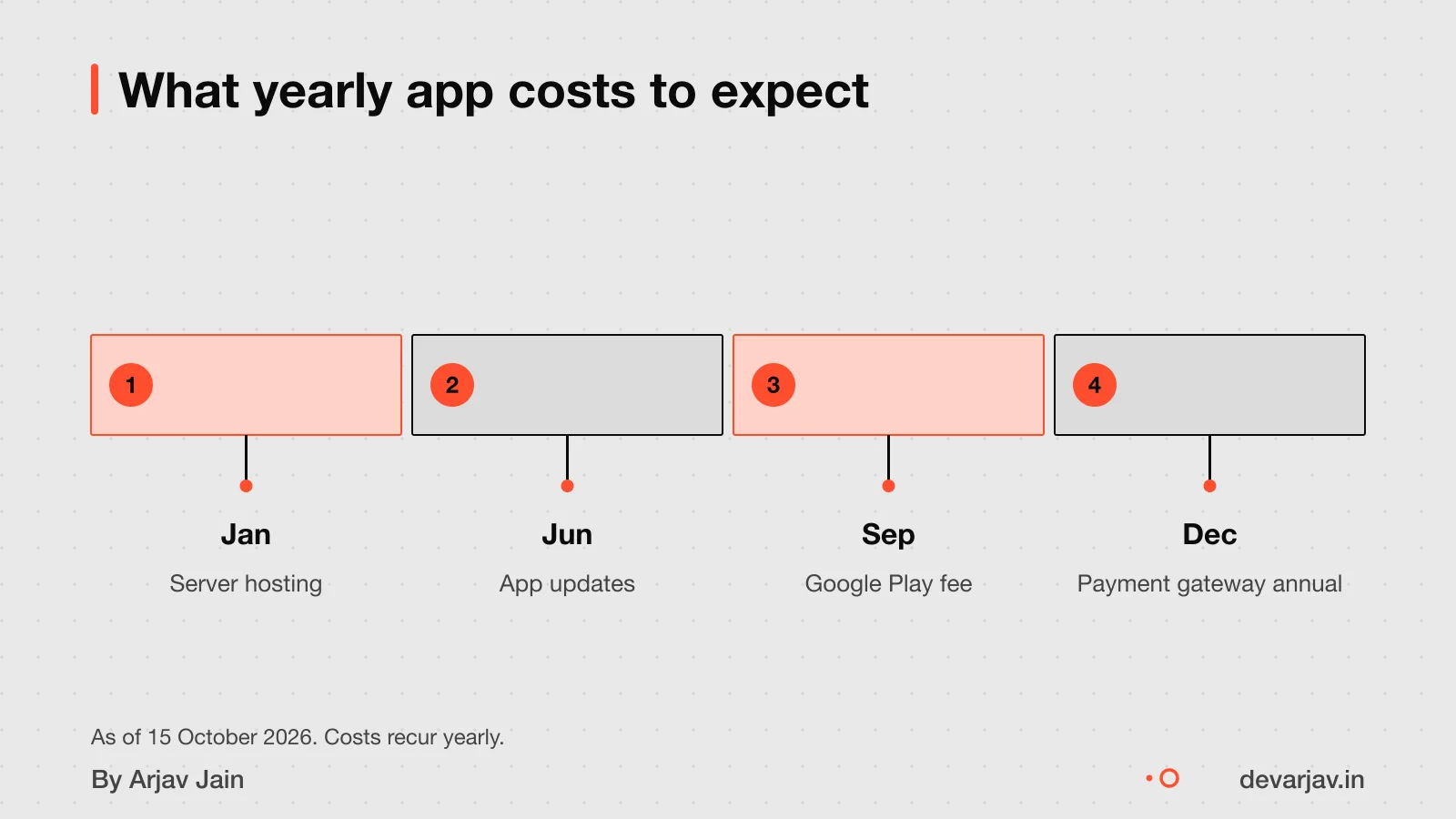
You must pay extra fees for app stores and payment processing, on top of development cost. These are not one-time charges and recur yearly or per transaction.
The Apple Developer Enterprise Program costs 299 USD per membership year. This is a must if you want an iPhone app. There is no Indian rupee equivalent listed, and no lower-cost option for small businesses.
Payment gateways charge three types of fees. Setup fees range from ₹10,000 to ₹50,000 when you first link your app to a payment system. After that, you pay 1.5% to 3% on every transaction made through the app. Some gateways also charge an annual maintenance fee of ₹5,000 to ₹20,000. These fees apply even if most payments are via UPI.
This rule does not apply to physical goods or in-person services.
App maintenance and yearly costs
You should budget 15 to 20% of your app’s build cost each year for maintenance. This covers updates, bug fixes, and hosting. For example, if your app cost ₹10 lakh to build. Plan to spend 15 to 20% of that cost every year to keep it running. Updates include changes to work with new phone operating systems or new UPI features. Bug fixes solve issues like login failures or slow screens. Hosting means paying for the server where your app’s data is stored. Without this upkeep, your app may stop working or become unsafe. Some developers offer maintenance packages, so ask for a clear list of what is included.
GST and tax rules for app services
Yes, you pay 18% GST on the developer’s bill for app services in India. This applies if the developer is based in India and the service is used here. This rule comes from the SAC code 998431 for IT consulting services.
If the app is built for export, meaning the service is delivered to a client outside India. Payment is in foreign currency, then GST is 0%. This is called a zero-rated supply under GST law. You must meet all export conditions for this to apply.
For example, if you are a clinic owner in Jaipur and hire a developer in Bangalore, you pay 18% IGST. But if an Indian developer builds an app for a business in the UAE and the contract is in USD, no GST is charged. Always check with your accountant before treating a transaction as an export.
Who owns the app code and accounts?
You may not own the app code and accounts unless your contract says so. Without a written agreement, the developer may not transfer ownership of the source code. A contract makes the agreement enforceable by law. Always ask for a clause that transfers full rights to you upon payment.
Yes, you can move the app to another developer later. App stores allow transfers while keeping the app live. For example, Apple lets you transfer an app between developer accounts without removing it from the store. But you need the source code and access to do this.
To protect yourself, get the source code and all login details before the final payment. Store them securely. Ask your developer to sign a contract that clearly states your ownership. Without it, you may not be able to update or fix the app later.
Can I get the source code of my app?
What can go wrong when building an app?
App development costs can rise due to scope changes or unclear briefs. Even with a fixed quote, adding new features mid-way raises costs. Hiring a senior developer at $80 to $200 per hour can help, but only if you give them a clear plan. For example, a clinic app that starts with just booking may grow to include records, reminders and payments, each new piece adds time and cost.
If the developer disappears, your project can stall. This risk is higher with freelancers or small teams who lack backup. To reduce this, work with someone who uses shared code repositories and gives you access early. Never rely on one person without a handover plan. As a check, ask any developer: “Can I see the code at any time?” If they say no, consider it a warning sign.
How to check if a developer’s quote is realistic
A realistic quote includes line items for design, development, testing, and project management, with clear milestones and what is excluded. Without these, you may face hidden costs later. A good quote also names the tech stack, timelines, and support terms.
They may assume ideal conditions that do not match your needs.
Watch for vague phrases like “end-to-end delivery” without breakdowns. Compare hourly rates: if a developer charges below ₹1,000/hour (about $13), check if they include coordination, revisions, and bug fixes. As of 2026, some agencies charge $25 to $50 per hour.
Ask for a written list of features, screens, and third-party tools included. Also ask what is *not* included, such as app store approvals, marketing, or future updates. A quote that does not state exclusions is risky.
Have a quote in hand? Send it to me and I will mark what is missing.
Message me on WhatsAppWhen this advice is wrong
This advice is not for you if your problem can be solved with tools you already use. Many small businesses can use existing tools instead of a custom app. For example, a clinic can use a WhatsApp group to confirm appointments and a Google Form to collect patient details, no app needed.
If your town has slow or unstable internet, a mobile app may not work well for your customers. Apps need data to sync, and in areas with poor connectivity, they can freeze or fail. A simple SMS or voice-call system might be more reliable.
You may not need a custom app if a ready-made app can be adjusted for your work. These apps are cheaper and faster to start with. For example, a shop can use a prebuilt inventory app and change just the logo and product list. Custom apps make sense only when your process is unique and used daily.
Related reading: How to hire a developer in India.
Assumptions behind the numbers
- Base MVP cost is ₹4 lakh (midpoint of ₹3–5 lakh)
- Adding iOS to Android increases cost by 30%
- Custom design adds 30% to design costs (midpoint of 20–40%)
- AI features increase total cost by 15%
- Maintenance is 17.5% of build cost (midpoint of 15–20%)
Work out your own number
I won't hand you a number that pretends to be the market. Instead, here is the working: set the base cost, toggle features, and see where the money goes.
Your working total
₹4,40,00011 weeks × 2 people × 5 days × ₹4,000- Scope and design18%
- Build55%
- Testing and fixes18%
- Launch and stores9%
The weeks shown are an example of a small app, there to be changed. Fees you pay others (store accounts, cloud, SMS) are not in this total.
What moves the price
- Adding iOS to Android
Building for both platforms adds ~30% cost.
- Custom animations or branding
Adds 20–40% to design costs.
- AI features like chat or suggestions
Increase cloud and development costs.
- Starting with one platform
Reduces cost and time significantly.
- Using pre-built UI components
Standard design cuts time and cost.
- Clear scope, no mid-build changes
Avoids the most expensive weeks.
Fees that go to someone else
Google Play developer account
A one-time registration fee, paid to Google. Check the current amount.
Apple Developer Program
A yearly fee paid to Apple. Check the current amount.
Cloud, SMS, maps, payments
Usage-based, billed by the provider to you.
Ask for these before you sign
- How many weeks per phase, and with how many people?
- What is not included?
- Which fees do I pay to others directly?
- What happens to the price when I change my mind?
- What does the first month after launch cost?
Questions people ask
How much does it cost to build a basic app for my shop?
A tightly scoped MVP with 3 to 5 core features and a single platform can cost ₹3 to 5 lakh. This is for a simple app with 3 to 5 core features on one platform, like Android or iOS, and no complex backend. The final cost depends on your features and design choices.
Why does app cost go up so fast?
Each extra feature, platform, or custom design increases cost. Custom animations and branded design systems can add 20% to 40% to the design budget. Adding both Android and iOS using Flutter costs about 30% more than a single platform. Even small changes during development often lead to higher bills.
How long does it take to build an app for my clinic?
Simple apps take 4 to 6 weeks to build. Medium complexity projects take 2 to 3 months to build. The timeline depends on how many features you need.
Do I have to pay GST on the developer’s bill?
Yes, you must pay 18% GST on the developer’s bill if the service is provided in India. This applies to all app development work done by Indian firms or freelancers. If the service is exported, GST may not apply. Check this for your case with a chartered accountant.
Can I build an app for ₹2 to 3 lakh?
₹2 to 3 lakh is below the minimum cost for a tightly scoped MVP, which starts at ₹3 lakh. A tightly scoped MVP starts at ₹3 lakh. At lower prices, you may get poor quality, missing features, or no post-launch support. Stick to ₹3 to 5 lakh for a reliable result.
What extra costs will I pay after launch?
Plan to spend 15% to 20% of your original development budget annually on maintenance. You will also pay for hosting, app store fees, and payment gateway charges like a ₹10,000 to ₹50,000 setup fee.
Can I move my app to another developer later?
Yes, you can move your app to another developer, but only if you own the source code and have access to app store accounts. Your contract must clearly state that you own the code. Without it, you may not be able to switch.
Is a Flutter app cheaper than native?
Flutter cross-platform development costs about 30% more than a single-platform native app. But it gives you both apps, which is cheaper than two separate native builds. Use it if you need both platforms.
Should I build for Android or iOS first?
Build for Android first if you want to reach more people in India. Android has a larger user base, especially in smaller towns. Build for iOS first if your users are in cities and you want simpler updates and fewer device types to test.